Year
Tools
A collection of mobile app projects focused on product usability and visual clarity. I designed full UX and UI for both live and conceptual apps - from onboarding flows and monetization strategy to interactive logic and developer-ready handoff.
The first app is a photo editor for iOS, featuring advanced editing tools, overlays, and subscription UX that improved trial-to-paid conversion.
The second is a gift management app for Android, designed with dark and light themes, role-based flows, and streamlined form logic for faster task completion.
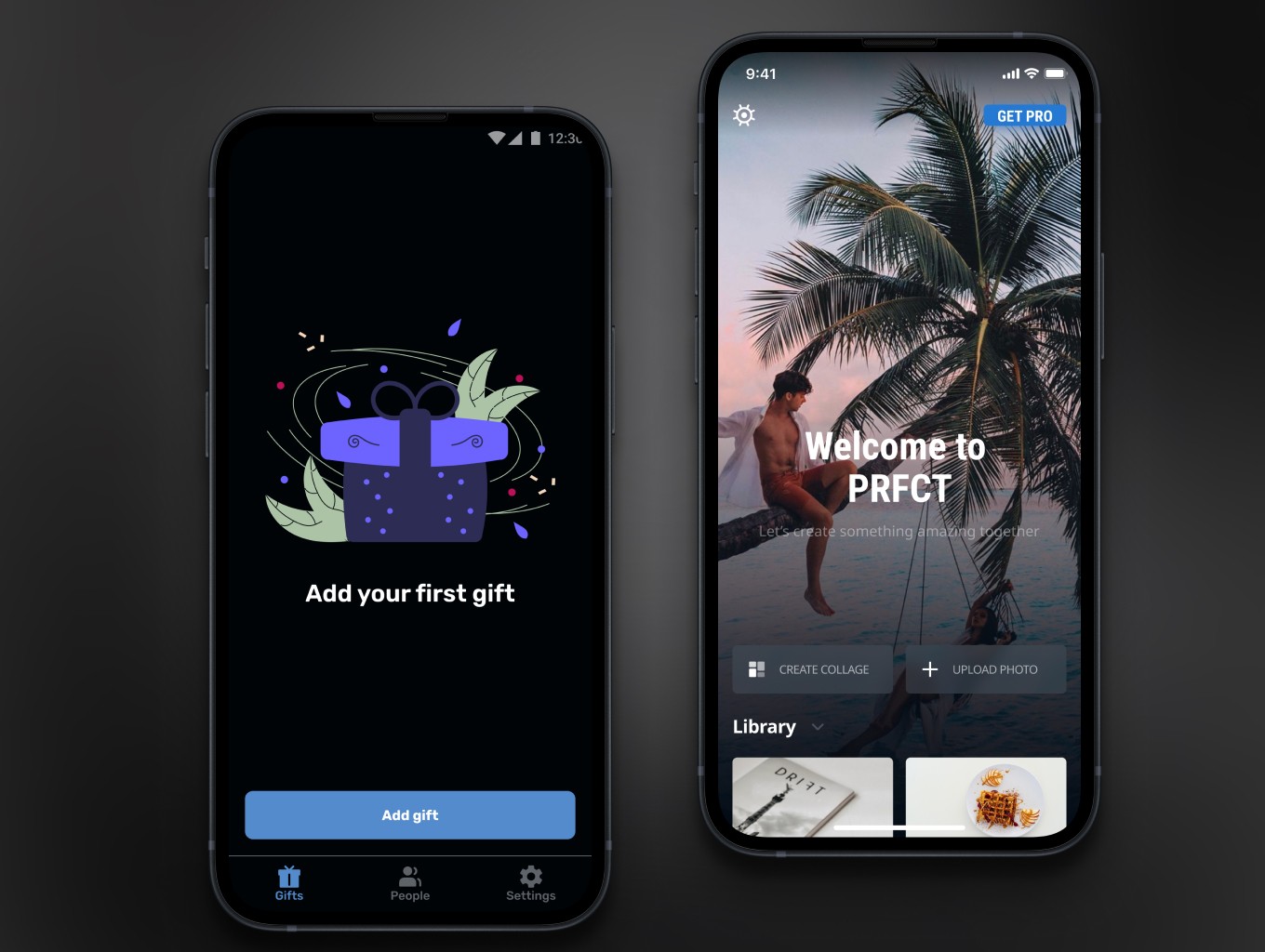
My work covered complete end-to-end design - from wireframes and interaction logic to high-fidelity prototypes and componentized Figma libraries.
I focused on improving user efficiency and conversion: simplifying tool access, reducing cognitive load, and optimizing micro-interactions. Each concept was structured with scalable patterns that could be easily extended for production.
These projects reflect my hands-on experience with mobile-first UX, adaptive design systems, and collaboration with developers to ensure design consistency across both iOS and Android ecosystems.
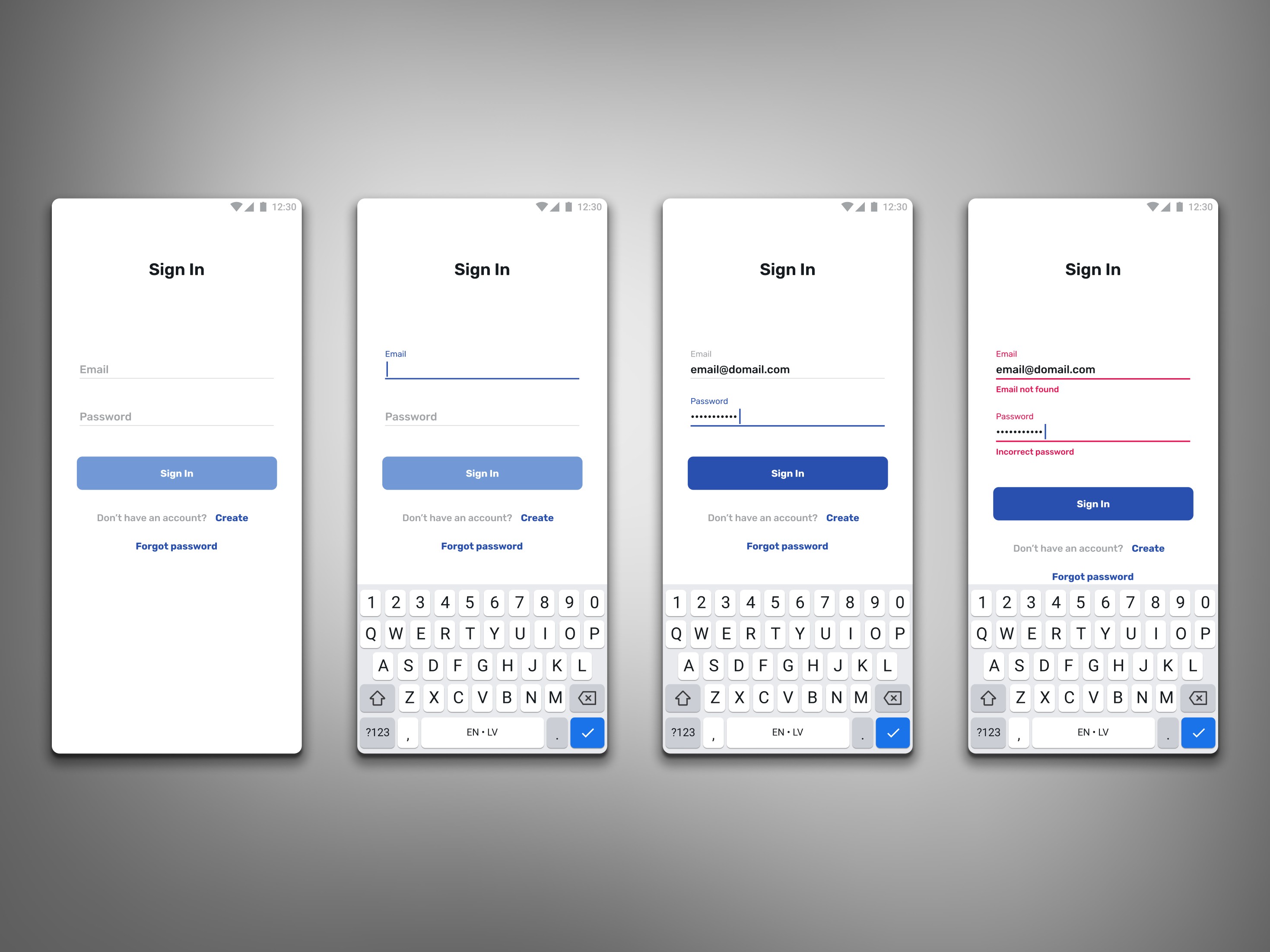
Sign-In Flow - Form States, Validation & Error Handling
A full set of form states for the sign-in flow: default, focused, filled, and error handling. Designed consistent field behavior and clear validation messages to improve usability and reduce friction during authentication.
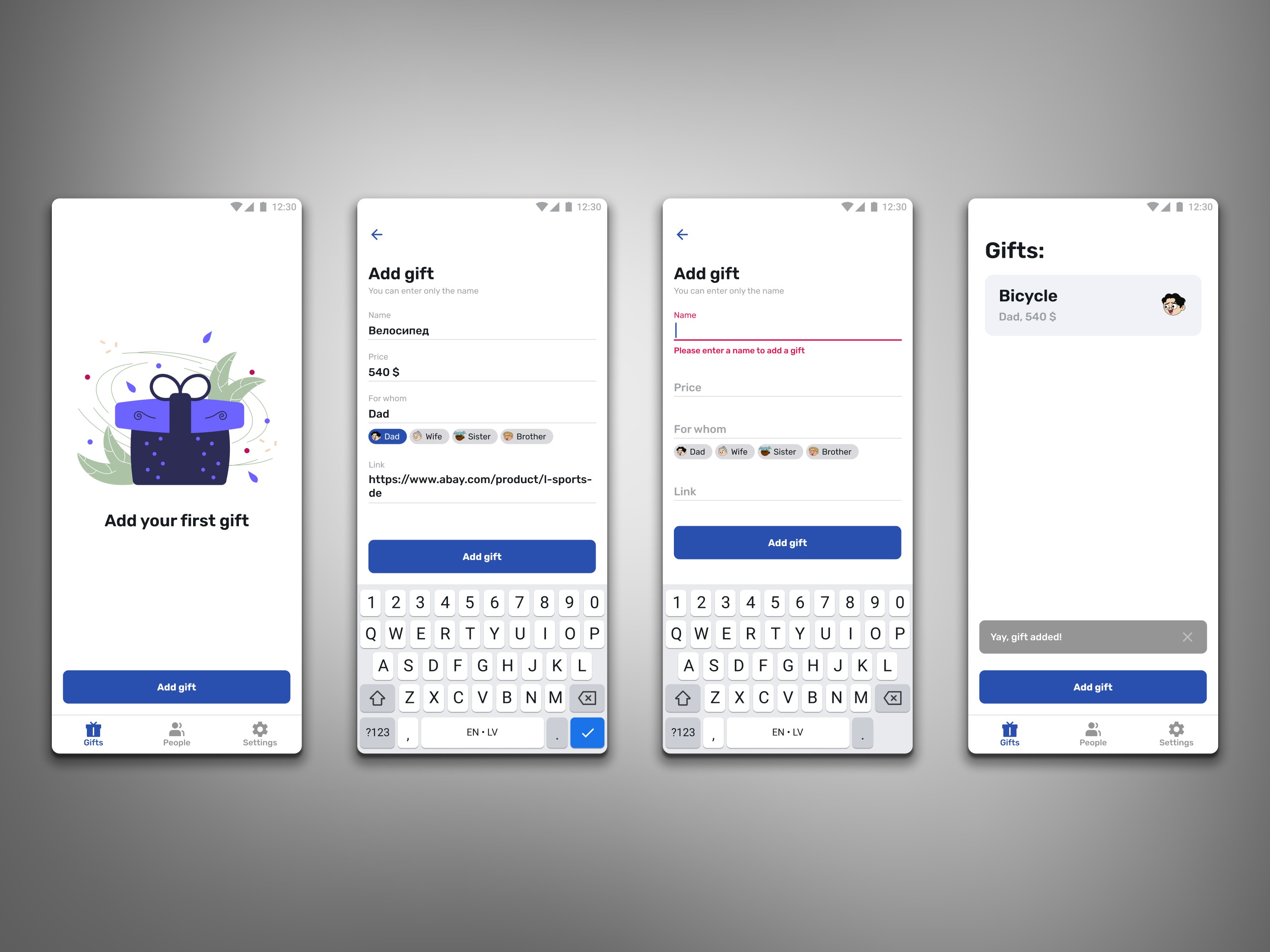
Add Gift - Flow, Field States and Confirmation
This sequence covers the gift creation flow, including default and error states, form input interactions and the final confirmation toast. The goal was to make adding gifts quick and intuitive, with clear validation and consistent UI behavior.
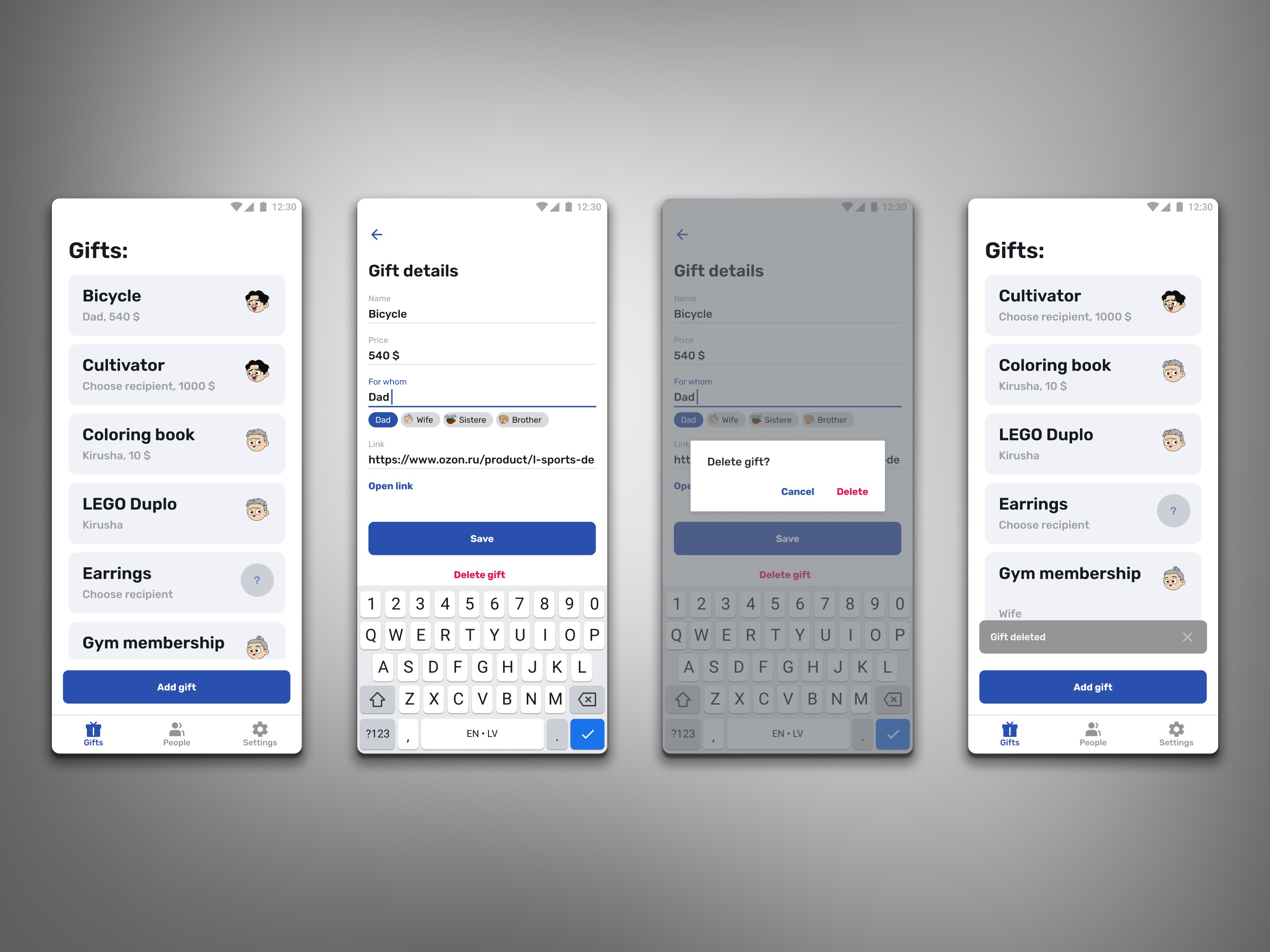
Gift Details – Editing and Deletion Flow
This screen group shows the full interaction flow for viewing and editing gift details, changing recipient information, and handling deletion with a confirmation dialog and system toast. The focus was on keeping all actions clear, consistent and easy to perform.
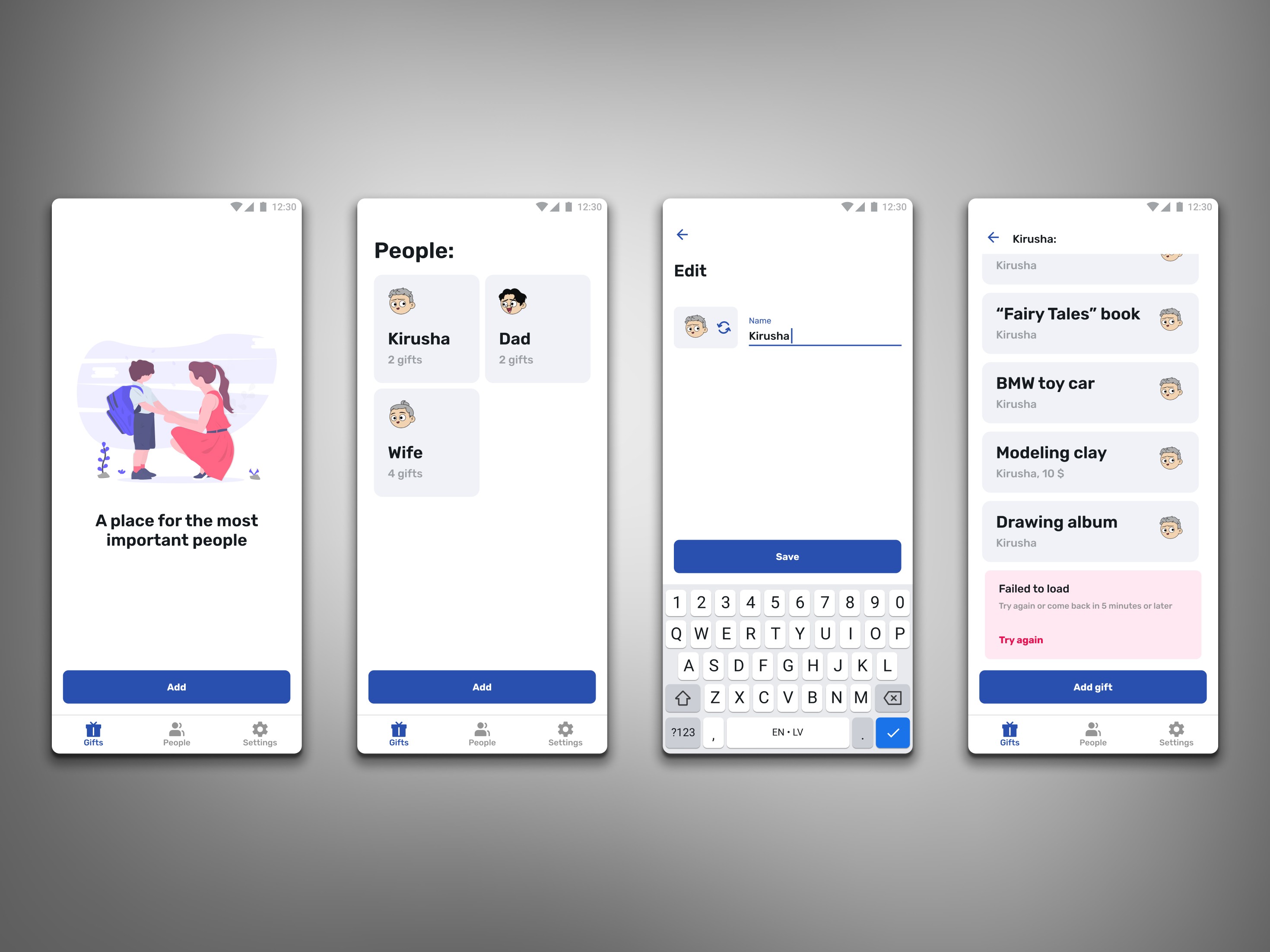
People – List, Editing and Error States
This set includes the people list, editing a person’s name and viewing their associated gifts. I designed clear input interactions and added a dedicated error state for loading issues to keep the experience consistent and predictable.
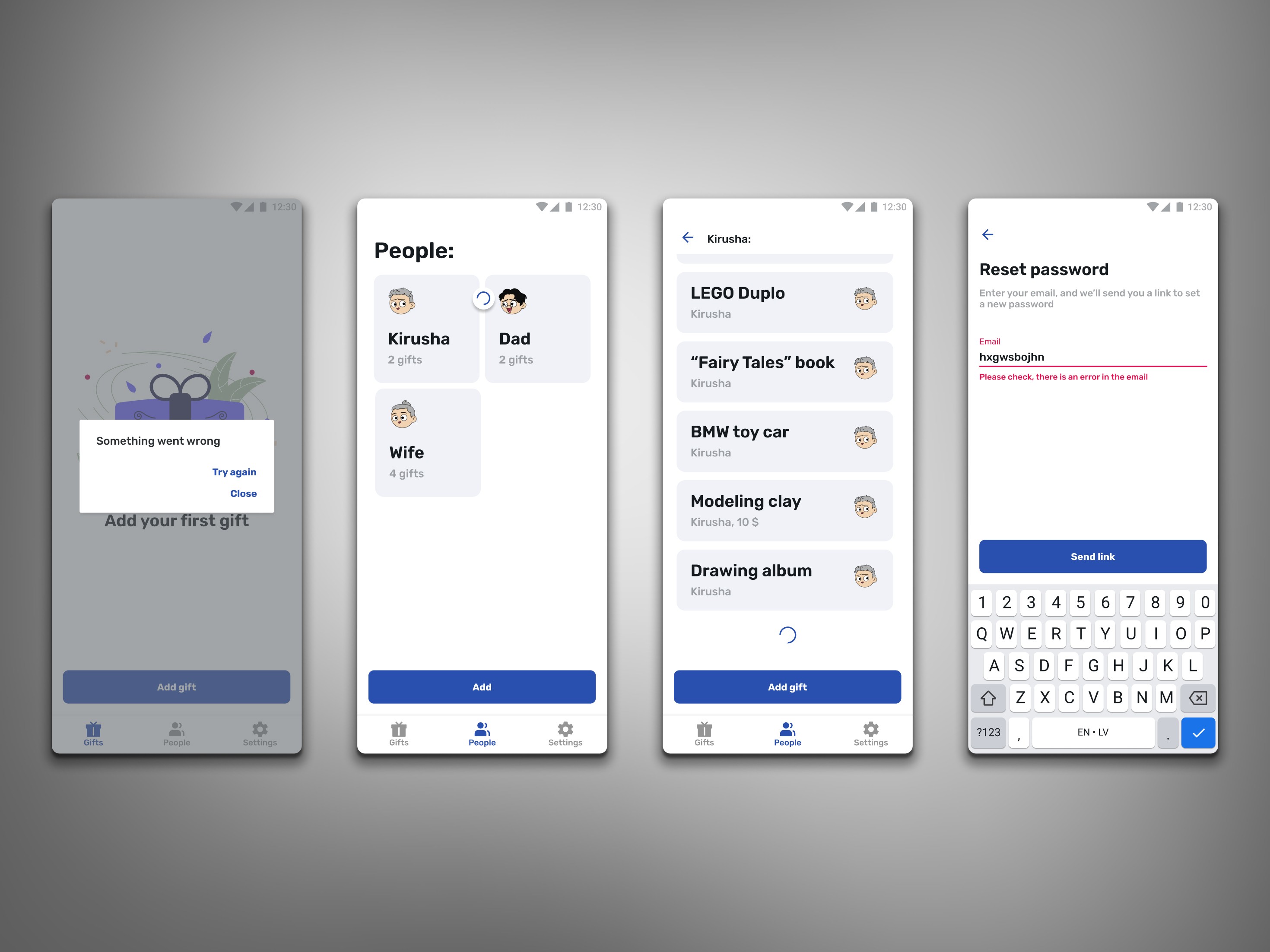
Error States and Password Reset Flow
This set includes system error handling, loading indicators in the people list and the full password reset flow with field validation. The focus was on predictable behavior, clear feedback and consistent UI patterns across all edge cases.
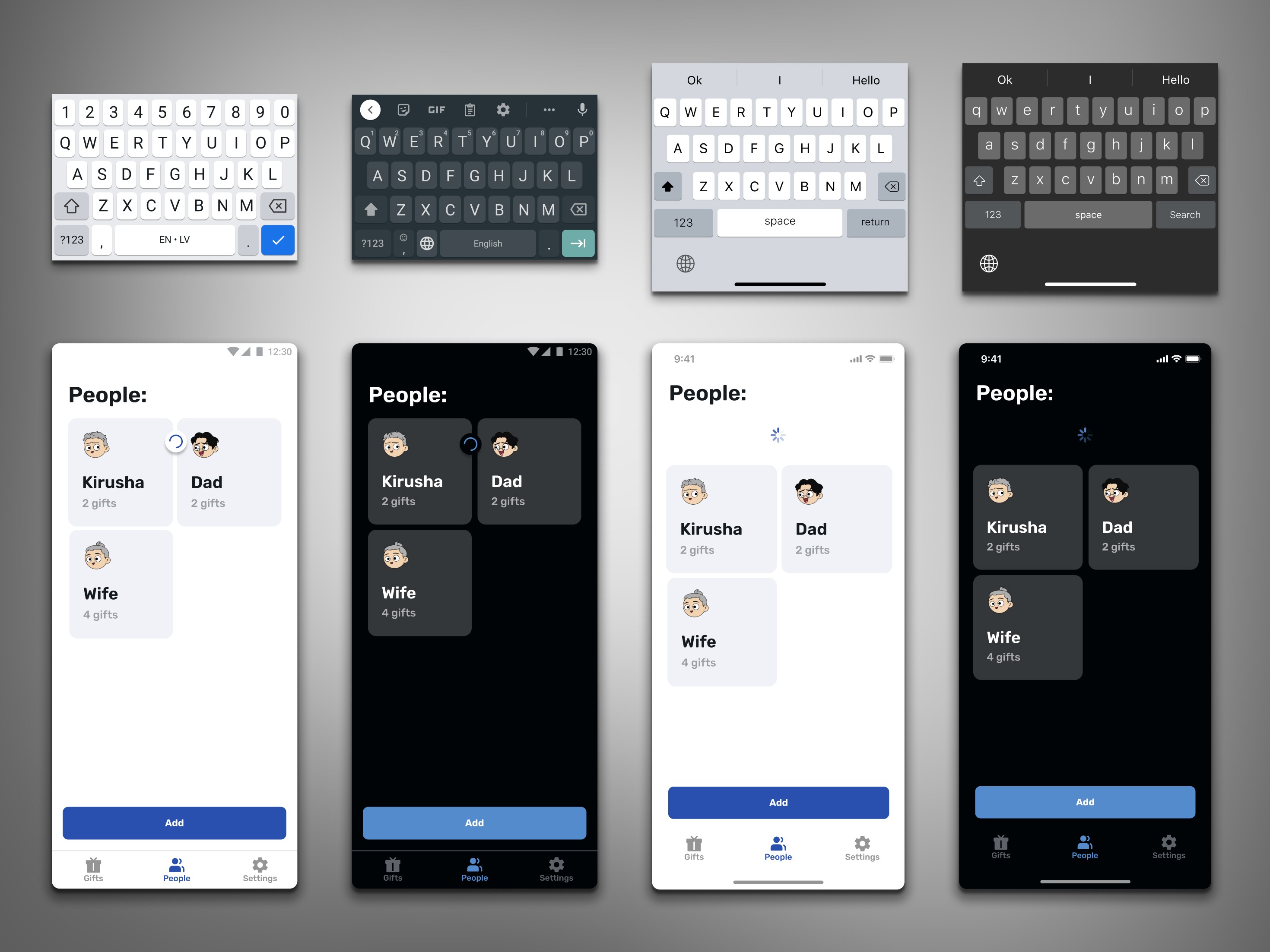
Platform Variations – Android and iOS Adaptation
This screen highlights the small but important differences between the Android and iOS versions of the People view. The layout, spacing and keyboard behavior were adjusted to match each platform’s native patterns while keeping the overall experience consistent.
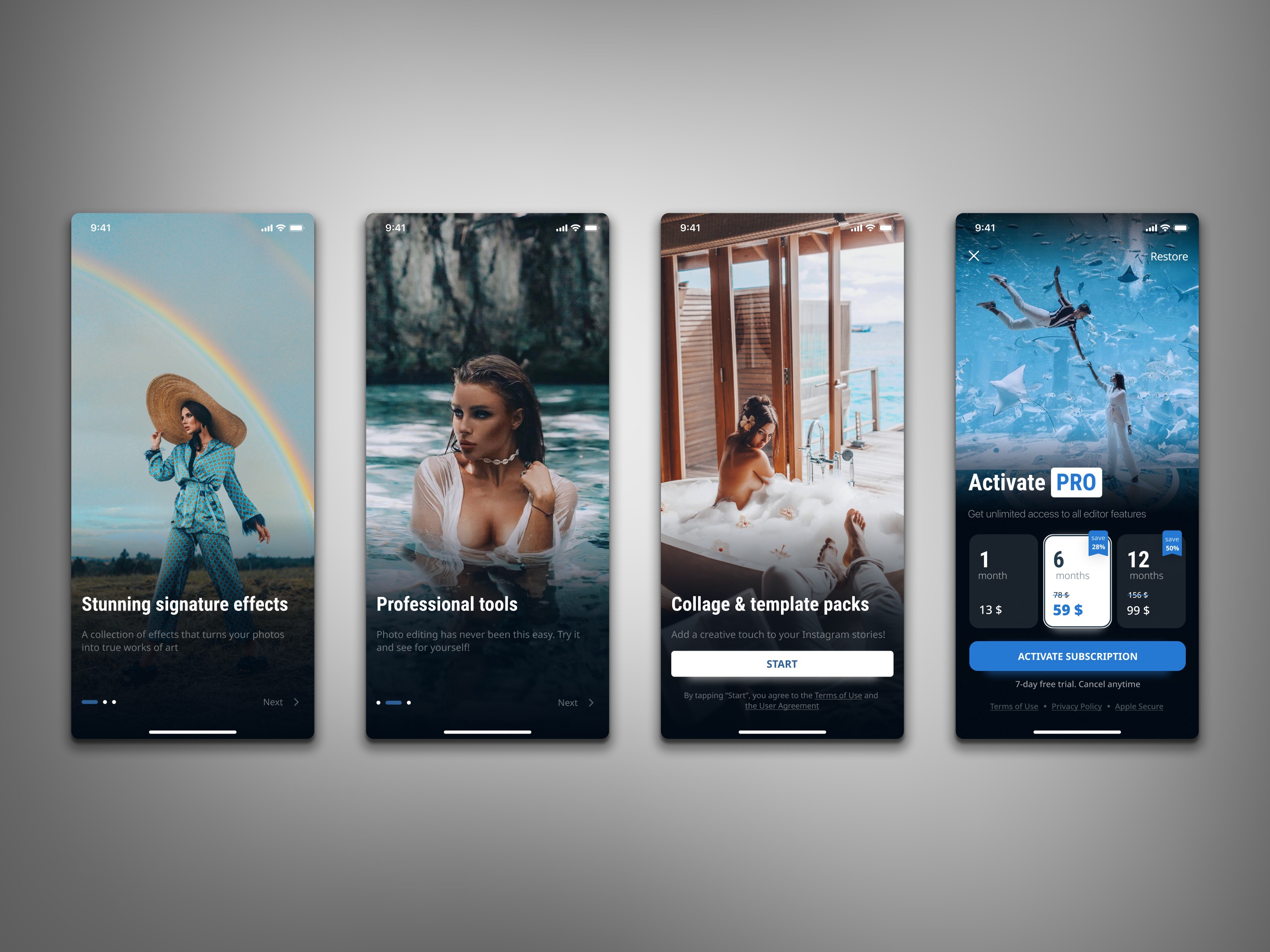
Onboarding Screens and Subscription Paywall
This set presents the onboarding flow with visually driven highlights of the app’s key features, followed by a clean and structured subscription paywall. The goal was to create an engaging first-time experience and guide users smoothly toward activation.
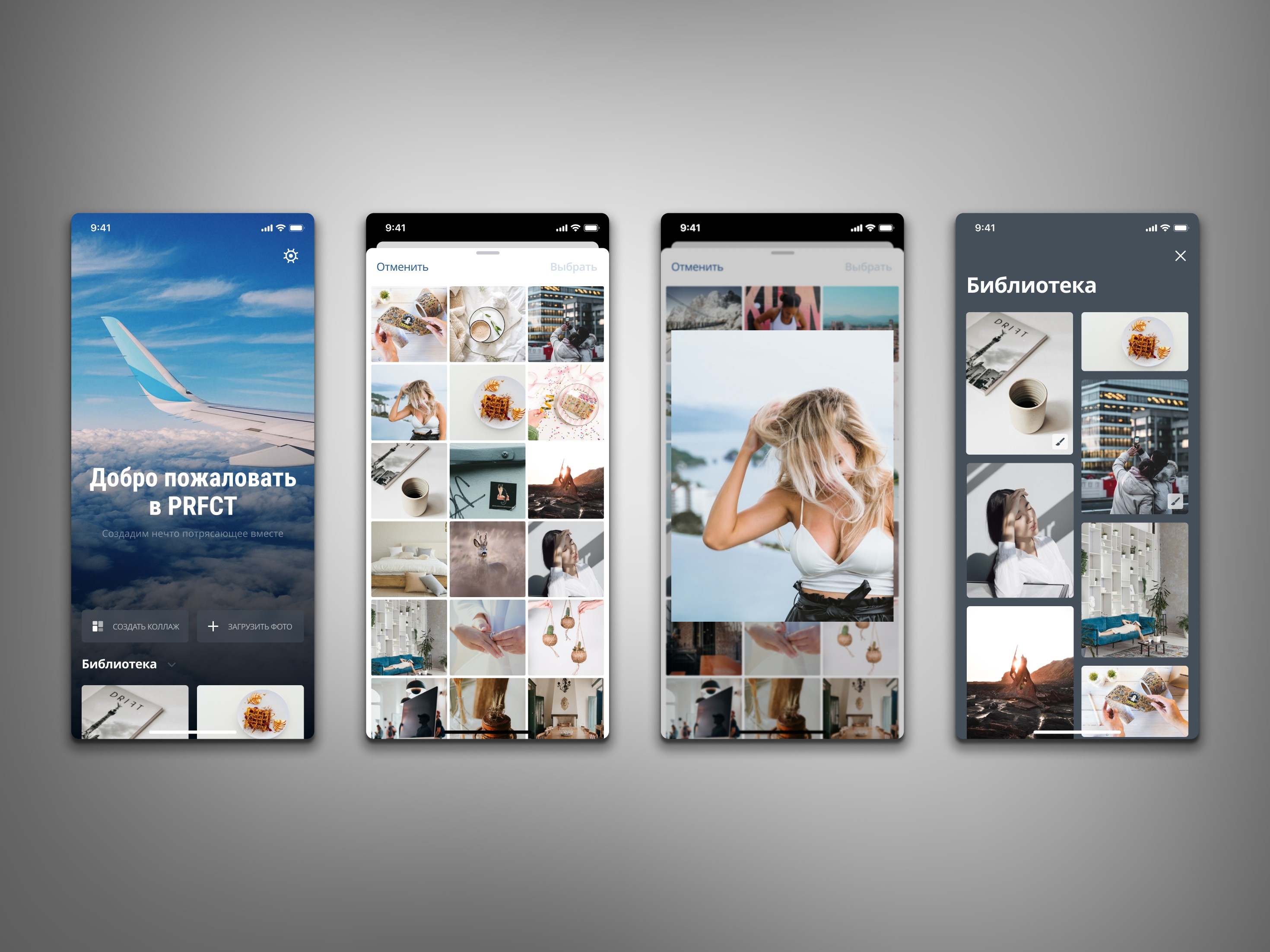
Welcome Screen and Photo Selection Flow
This set shows the greeting screen and the full photo selection flow, including gallery browsing, image preview and the custom library layout. The focus was on creating a smooth and intuitive path from first launch to choosing content for editing.
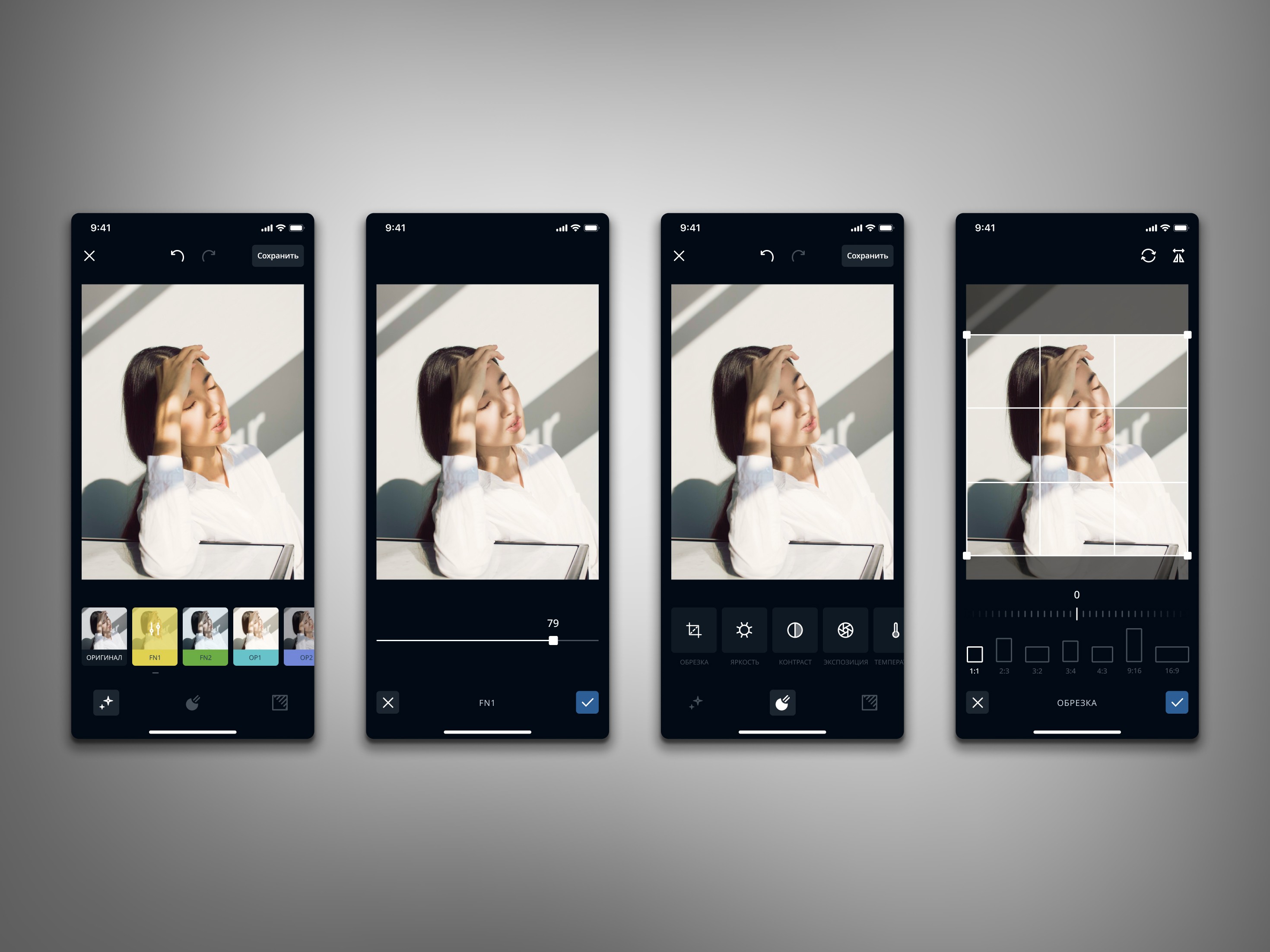
Photo Editing Tools
This sequence presents the core editing tools, including filters, intensity adjustments, manual parameters and cropping presets. The goal was to design a clean and intuitive editor flow that helps users quickly enhance photos while keeping full control over key settings.
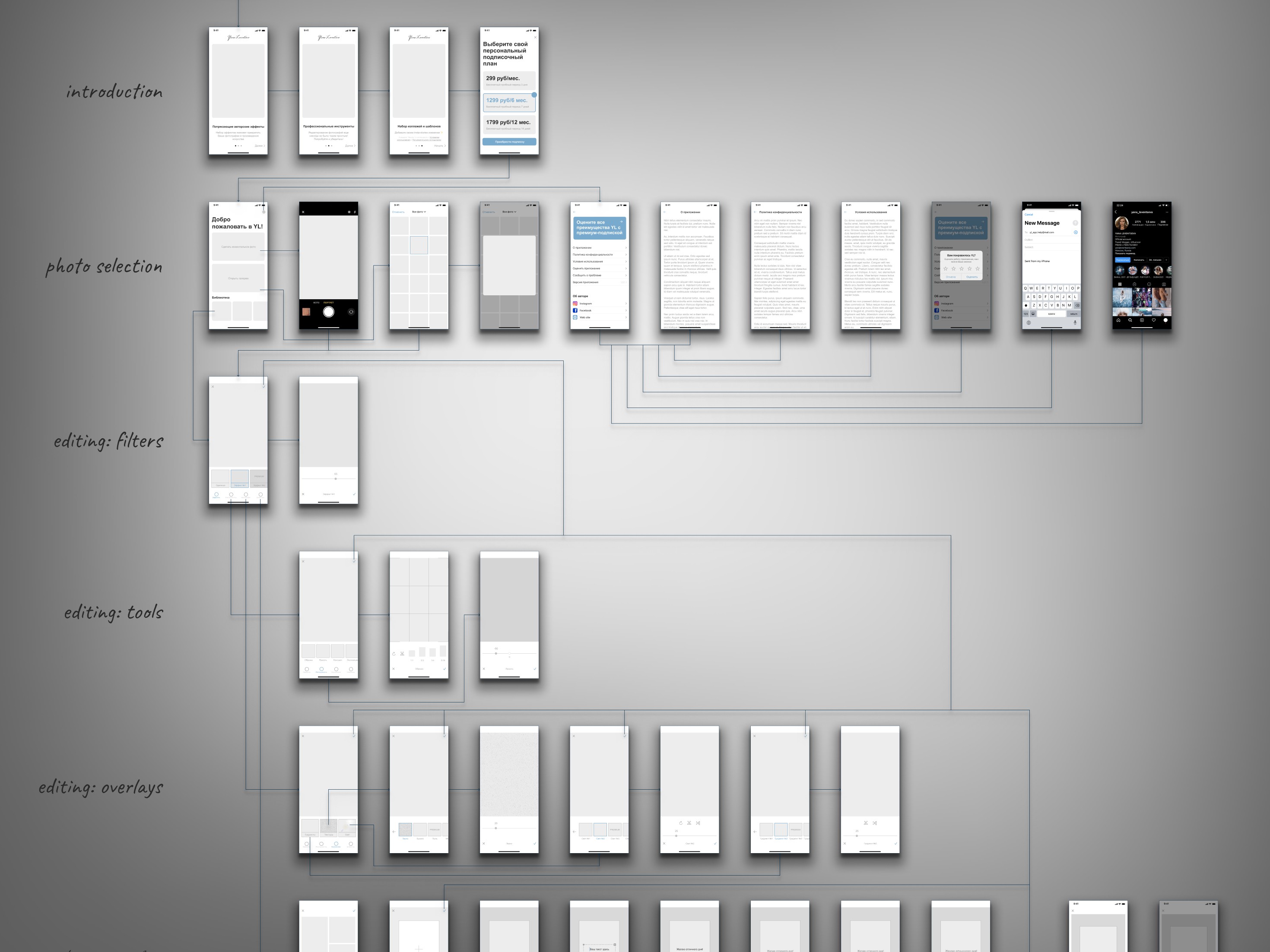
User Flow & Wireframes
A structured userflow combining low-fidelity and high-fidelity wireframes. This overview shows how I design and validate the entire interaction path - from onboarding to editing tools - and demonstrates my ability to plan flows, build logic and structure screens before moving into polished UI.
Success Validation
This flow demonstrates my ability to design clear multi-step interactions for a mobile app, structuring complex logic from low-fidelity sketches to detailed wireframes.
Key points:
• Full coverage of all mobile user scenarios from onboarding to export
• Consistent navigation logic validated across branches
• Early identification of UX bottlenecks specific to mobile patterns
• Alignment of flow structure with product and platform requirements
Outcomes
A complete mobile wireframe system that clarifies the entire user journey and provides a solid foundation for UI design and development.
Key points:
• Combined low-fidelity and high-fidelity mobile wireframes in one unified flow
• Clear hierarchy that helps the team quickly understand the app’s structure
• Faster product decisions during design reviews
• Reduced rework during visual design and implementation